
Booster Pack Heroes How to Unlock Chapter 4
Beat Chapter 3, find Gate to the Stars, and begin Act Two. Check the Steam demo distinction and patch 1.0.30D fixes.
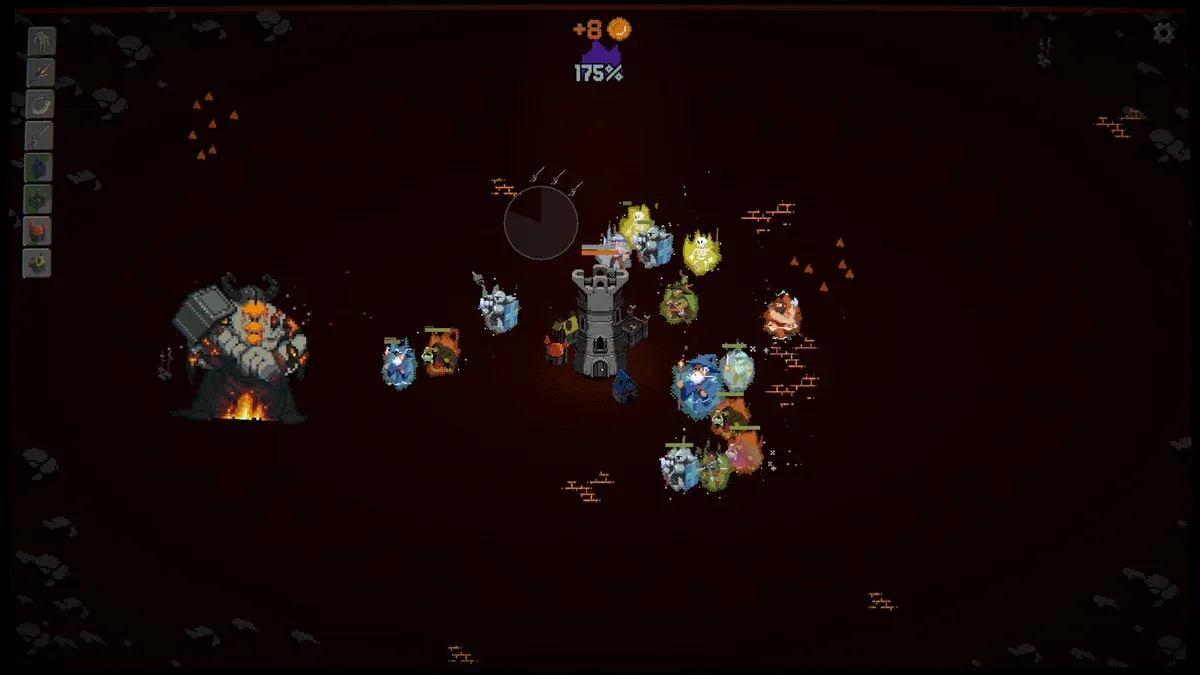
How do you unlock Chapter 4 in Booster Pack Heroes?
This guide covers the retail Steam game, released November 10, 2026. Patch 1.0.30D changes are identified separately below; the evidence was collected November 11, 2026. Official Steam game listing
Follow this sequence once you have cleared the first three chapters:
| Step | What to do | What you are checking |
|---|---|---|
| 1 | Finish Chapter 3 and defeat its boss | You have reached the act transition |
| 2 | Look at the top for Gate to the Stars | The portal can be easy to overlook |
| 3 | Interact with the portal | Access the transition prompt |
| 4 | Confirm Begin Act Two | Continue toward Chapter 4 through the next act |
The strongest practical confirmation comes from a player experience in a Steam discussion. A player reported being unable to continue after beating Chapter 3. Another player pointed out the portal at the top, and the original poster confirmed that they had overlooked it. Steam discussion confirming the portal solution
For how to unlock chapter 4, this makes the portal your first check. Other launch complaints need separate attention, especially when the portal itself fails to advance the game.
Check whether you launched the full game or the demo
A reliable how to unlock chapter 4 answer starts with identifying the application you opened. Steam lists the retail game and Demo separately, so owning the full game does not tell you which application you launched.
The developer’s launch announcement confirms that the full release contains 14 chapters. Chapter 3 therefore is not the end of the retail campaign. Official full-game launch announcement
| Version or page | What the available evidence establishes | Practical check |
|---|---|---|
| Retail Steam game | The full release has its own store listing | Launch the purchased game from your library |
| Steam demo | A separate application is explicitly labeled Demo | Check the application name before troubleshooting retail progression |
| itch.io browser page | The captured page offered browser play while separately announcing pending paid downloads | Check the build’s identity instead of assuming browser play is the retail release |
These distinctions are visible in the retail Steam listing, separate Steam demo listing, and captured publisher itch.io page.
Rare heroes also cannot reliably identify your version. The developer’s Next Fest demo update explicitly allowed Interlopers: unusually rare pulls featuring heroes from packs associated with the full game. Finding one therefore does not establish that later chapters are accessible in your current application. Official Interloper demo update
Check the application name before drawing conclusions from your collection or pack discoveries.
Why a cleared act can keep running
Remaining in a completed act can be expected behavior under patch 1.0.30D. Its official notes say players can continue playing after finishing Acts One or Two, with quests continuing to progress.
That distinction matters when diagnosing a loop. Continued combat alone does not establish that your save is broken. You may still need to use the door that moves you into the next act.
The official patch 1.0.30D notes document several relevant changes:
| Documented change | What it helps explain |
|---|---|
| Continued play after completing Acts One or Two | A cleared act can remain playable |
| Continued quest progress in those completed acts | Staying behind can still advance quests |
| A skill-tree arrow reminding players about the prestige door | There is an additional visual reminder when the door can open |
| Fixes for some achievements that could not unlock | Missing achievements can involve a separate issue from chapter access |
Use the skill-tree arrow as a reminder to inspect the door when it is available. The notes describe it as appearing when the prestige door can be opened; they do not establish that every player should see it at every stage.
This helps clarify the how to unlock chapter 4 answer: clearing the boss and choosing the act transition are separate actions.
If you deliberately stay to progress quests, remember that continued play is now supported. If your goal is Chapter 4, return your attention to the portal and its confirmation prompt instead of assuming another boss victory will automatically move you forward.
Official gameplay video
The launch trailer by Funday Games shows the game’s general pack-opening and tower-defense loop. It is a gameplay overview, rather than a demonstration of this guide’s specific objective.

Booster Pack Heroes — Official Launch Trailer by Funday Games
What to check if the portal does not advance you
If the how to unlock chapter 4 steps still leave you stuck, identify exactly where the process fails. A missing portal, an unresponsive confirmation, and a missing achievement describe different symptoms.
The following checks are recommendations based on the official patch notes and community reports. They are not established fixes for every affected save.
- Confirm the application. Check that you launched the full Steam game rather than the separate demo.
- Install available Steam updates. Patch 1.0.30D contains progression-related improvements and bug fixes. Close and relaunch the game after updating.
- Inspect the portal again. After completing Chapter 3, check the top and look for the door reminder in the skill tree when available.
- Read the confirmation prompt. Verify that you are selecting Begin Act Two, and use the current prompt to understand any stated reset conditions.
- Record the precise failure. Note your chapter, act, installed version, whether you imported demo progress, and what happens when you interact with the portal.
Demo-save concerns deserve careful wording. Community reports describe players who loaded demo progress into the retail game and believed they were stuck repeating Chapter 3. Those reports establish that players encountered the symptom; they do not establish one confirmed cause or a universal repair. Steam launch discussion containing demo-save reports
Resetting progress is not supported as the first troubleshooting step. In the separate portal-solution thread, the original poster had already reset and replayed before discovering that they had missed the portal.
A useful report should state whether the portal is absent, whether its prompt opens, and whether confirming it changes anything. Those details are more informative than reporting only that Chapter 4 is locked.
Separate chapter access from achievement and resource bugs
Some how to unlock chapter 4 searches concern a missing achievement even though the player has already progressed beyond that chapter. Before trying to unlock anything again, check whether your problem is access, achievement credit, quest tracking, or spending resources.
One launch discussion includes a player experience describing a missing Chapter 4 achievement for Prestige One despite reaching Prestige Two and completing the game. That is a different situation from being unable to enter Chapter 4. The developer replied in the discussion that fixes were being prepared, but the brief response does not diagnose every later complaint. Steam discussion of Chapter 4 achievement and progression reports
| Symptom | Evidence available | Recommended next step |
|---|---|---|
| Chapter 3 is cleared, but you remain there | One player confirmed overlooking the upper portal | Check Gate to the Stars |
| You progressed beyond Chapter 4 but lack its achievement | Community reports describe this situation | Treat it as an achievement issue |
| An advanced-pack quest counter appears stuck | A player reported a counter stuck at 38/75 | Record the quest and counter when reporting |
| You cannot buy further upgrades | Patch 1.0.30D documents an integer-overflow fix affecting purchases | Update and check whether the spending problem remains |
The official patch also fixes some achievements and a missing final relic-pack quest reward. However, its notes do not identify every achievement affected or promise that all previously missed rewards will be granted automatically. Official patch fixes and improvements
Likewise, the stuck advanced-pack counter is a community report, not a confirmed Chapter 4 prerequisite. The available evidence does not establish that completing that particular quest, collecting every foil, or purchasing every upgrade is necessary to enter Act Two.
Check the transition first, then troubleshoot any remaining counter or reward problem on its own terms.
FAQ
What is the quickest answer to “how to unlock chapter 4”?
In the full Steam game, finish Chapter 3, interact with Gate to the Stars, the portal at the top, and confirm Begin Act Two. A Steam player confirmed that overlooking the portal caused their apparent progression block. Other reported problems may require additional troubleshooting. Player experience confirming the solution
Does beating the Chapter 3 boss automatically move you forward?
The documented player solution requires interacting with the portal after clearing Chapter 3. Patch 1.0.30D also explicitly allows continued play after completing Acts One or Two. Remaining in a cleared act therefore does not, by itself, prove that progression has failed. Official patch notes
Should I delete my demo save if Chapter 4 seems locked?
The available evidence does not establish save deletion as a reliable fix. One player reset and replayed before realizing they had missed the portal. Confirm the retail application, update it, and inspect the transition first. If it still fails, report the exact behavior and whether demo progress was imported.
Does patch 1.0.30D fix every Chapter 4 problem?
That is not confirmed. The patch documents a door reminder, continued quest progress in completed acts, fixes for some achievements, and an upgrade-purchase overflow fix. It does not explicitly guarantee a repair for every Chapter 3 loop or imported demo save. Treat unresolved portal failures and missing achievements as distinct reports. Official patch 1.0.30D details
Related guides
Related Articles
achievements
Booster Pack Heroes Achievements Not Unlocking: Fixes
Check patch 1.0.30D, missing relics, foil collections, and community reports to troubleshoot Booster Pack Heroes achievements that won't unlock.
cards
Booster Pack Heroes Duelist Unlock: Known Information
Find Duelist's documented Royal Pack odds, understand progression limits, and separate hero acquisition from Mastery in launch footage.
cards
Booster Pack Heroes Illusionist Unlock: Known Information
Find Illusionist in the Magic Pack, understand the displayed 9% chance, and learn what Hall of Mirrors changes in launch footage.
Was this helpful?
Thanks for the feedback!