
Booster Pack Heroes Demo Save Transfer: What Carries Over
Learn what Steam players report about demo save transfer, what patch 1.0.30D fixes, and what remains unconfirmed across platforms.
Does demo progress carry into the full game?
The developer confirmed a compatibility boundary: only saves from the latest demo update were compatible with retail in the reported launch case. Older demo saves could load incorrectly. The developer’s explanation of the forest-spider save issue is more specific than the earlier player reports; it does not establish universal cross-platform transfer or a numbered version range. Community reports also describe chapter or quest issues after carrying progress forward. Those observations should not become a promise that every save will transfer completely.
The retail game launched on November 10, 2026, according to the official Steam listing. This guide assesses the evidence available on November 11 and distinguishes the retail release, the demo, and patch 1.0.30D.
| Question | Supported answer | Evidence limit |
|---|---|---|
| Has demo progress appeared in Steam retail? | Launch-day community reports describe successful carryover. | These are individual player experiences. |
| Did every reported transfer work cleanly? | Reports include chapter or quest issues. | Their frequency and exact causes are not established. |
| Which demo saves did the developer identify as compatible? | Saves from the latest demo update in the reported retail launch case. | No numbered affected-build range or universal import menu sequence is supplied. |
| Does this confirm cross-platform saves? | No cross-platform transfer promise is established. | Steam experiences cannot verify mobile or browser compatibility. |
For demo save transfer, the practical distinction is between seeing progress load and confirming that progression still works. A familiar collection is encouraging, but chapter access and quest rewards deserve a separate check before you assume everything carried over correctly.
Which versions and platforms does the evidence cover?
The transfer reports concern the Steam demo and retail release. Other editions require their own evidence, even when their storefront descriptions describe the same game.
The scope of demo save transfer is therefore narrower than the game’s overall availability. An official listing can confirm that an edition exists without explaining whether it accepts another edition’s save data.
| Edition | Officially supported context | What that establishes about transfers |
|---|---|---|
| Steam retail | Released November 10, 2026, with Windows and macOS support on the retail Steam page. | This is the retail edition covered by the launch-day Steam reports. |
| Steam demo | A separate demo listing, released April 30, 2026, appears on the official demo store page. | Its existence does not document a migration procedure. |
| itch.io browser version | The captured official itch.io page offered browser play and discussed delayed desktop uploads. | Browser-to-Steam save compatibility is unconfirmed. |
| Apple and Android editions | Official listings appear on the Apple App Store and Google Play. | These listings do not establish Steam-to-mobile save transfer. |
Version numbers also need context. The captured Apple listing showed version 1.0.16, while the supplied Steam patch announcement concerns 1.0.30D. A fix documented for the Steam patch should not automatically be attributed to a mobile build.
The demo itself changed before launch. Its official Next Fest update added rare Interlopers drawn from full-game hero pools and revised several systems. That is demo-specific evidence about available content; it does not confirm that those heroes, upgrades, or other progress migrate into retail.
How should you check your progress in the retail game?
To check demo save transfer, start with the correct retail edition and compare recognizable progress before investing heavily in a new session.
The following steps are source-based troubleshooting recommendations, not a developer-published migration walkthrough. The official material does not provide verified save folders, file names, import instructions, or a required account configuration.
- Identify your original edition. Note whether you played the Steam demo or the itch.io browser version. That distinction determines whether the available Steam reports are relevant.
- Keep any existing import code. If you already have one, retain an unchanged copy. The available evidence does not establish that every code works across editions.
- Check for an available retail update. Patch 1.0.30D documents several progression fixes, although it does not promise to repair demo transfers.
- Launch the retail game and inspect visible progress. Compare your collection, purchased upgrades, chapter access, and quest state with what you remember.
- Record discrepancies before troubleshooting further. Note exactly what survived and what appears missing.
For the first comparison, using the same computer and storefront reduces the number of changed variables. This is a troubleshooting recommendation, not a confirmed requirement for successful carryover.
| Check | What to compare | What the result can tell you |
|---|---|---|
| Collection | Previously discovered heroes and spells | Whether recognizable collection progress appears |
| Upgrades | Purchases you clearly remember making | Whether some persistent advancement appears |
| Chapter access | Your previous stopping point and available progression | Whether access matches your expected progress |
| Quests and rewards | Visible objectives, completion states, and expected rewards | Whether progression needs further investigation |
These checks are useful because the game’s official description connects collection growth, upgrades, and chapter progression. They are not a documented list of everything stored in a save.
If the collection looks right but a quest does not, describe that as a partial progression issue. Calling every discrepancy a completely lost save makes it harder to explain the problem accurately.
Official gameplay video
The launch trailer by Funday Games shows the game’s general pack-opening and tower-defense loop. It is a gameplay overview, rather than a demonstration of this guide’s specific objective.
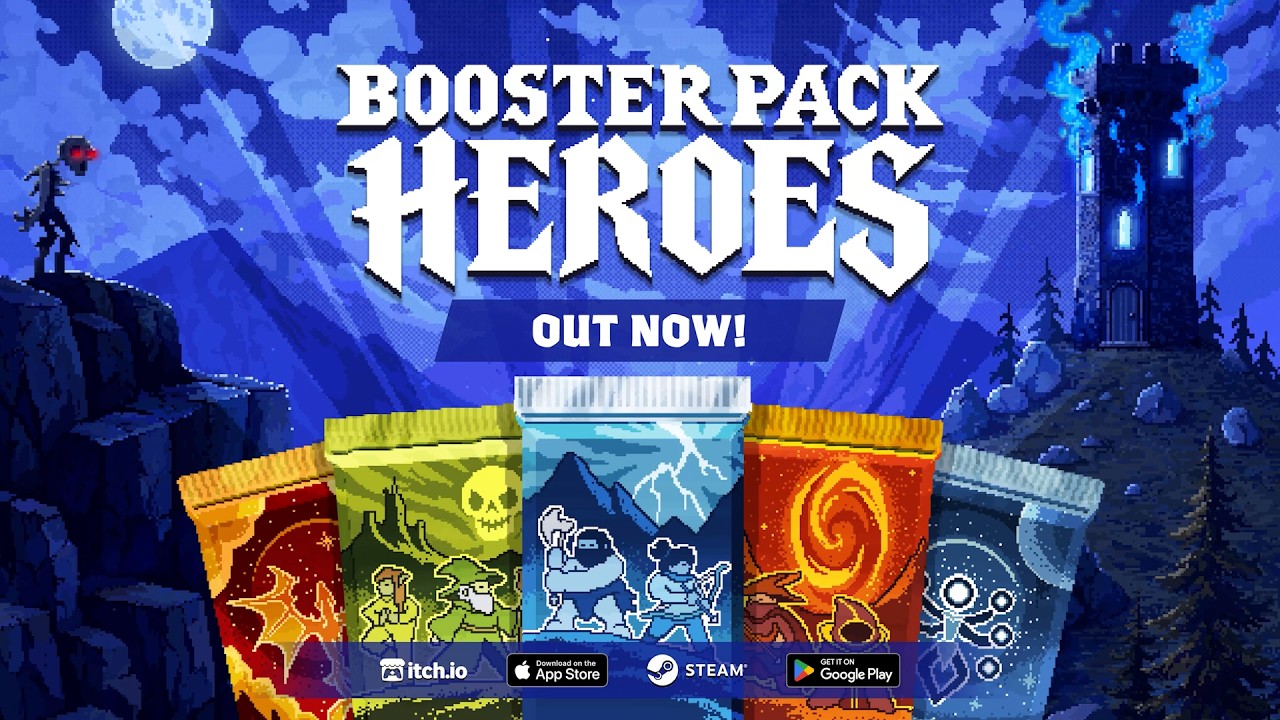
Booster Pack Heroes — Official Launch Trailer by Funday Games
What does patch 1.0.30D actually fix?
Patch 1.0.30D addresses several problems that can resemble incomplete progression. Its official patch notes document upgrade, achievement, reward, and act-continuation changes.
Those fixes matter when evaluating a carried-over save, but the announcement does not identify a general demo-import repair.
| Documented change | Why it matters when checking progress |
|---|---|
| Fixed an integer overflow that prevented further upgrade purchases | A blocked upgrade purchase could reflect this documented bug rather than missing collection data. |
| Fixed several achievements that could not unlock | An absent achievement does not, by itself, establish a failed transfer. |
| Fixed the final relic pack quest reward not being granted | A missing reward has a documented progression-related explanation. |
| Fixed discovered-unit rewards carrying into the next act | Unexpected rewards may involve act-transition behavior. |
| Allowed continued play and quest progress after completing acts 1 or 2 | Post-act quest behavior changed in this patch. |
The wording matters. The discovered-unit reward fix concerns rewards moving between acts. It should not be described as a demo-to-retail save-transfer fix.
Similarly, continued quest progress after acts 1 or 2 is a documented improvement. It does not establish that all older quest states are automatically reconstructed when an existing save loads.
For a demo save transfer issue, checking the installed build helps determine which documented fixes may be relevant. However, the available notes do not promise that updating restores missing progress, repairs an invalid import code, or reconciles every chapter discrepancy.
A useful support report connects the symptom to the build: for example, collection progress appears, but a specific quest reward is absent. That gives the developer more information than simply saying that the transfer failed.
What should you do if progress is missing or an import fails?
A demo save transfer problem needs a precise description before you attempt a fix.
One supplied Steam community report about lost demo progress describes roughly two hours of progress disappearing when the demo started, followed by an error when the player entered an import code. This is player experience, not an official diagnosis. It does not establish how often the issue occurs or whether the same failure affects retail.
It does show why an import-code error should be treated separately from automatic carryover. The existence of an import field or code does not prove that it supports every edition, build, or platform.
Preserve the information you already have
Keep any existing import code unchanged, along with notes or screenshots showing your previous progress. Preserve existing save data while investigating; the available evidence provides no verified deletion, replacement, or manual file-copying remedy.
If an error appears, record its exact wording. An error message, the originating edition, and the destination edition are more useful than repeatedly trying an undocumented procedure.
There is also no supported basis here for treating cloud synchronization as a recovery method. Cloud behavior and cross-platform compatibility are not established by the available transfer evidence.
Report the specific symptom
Use the official publisher page or the game’s Steam discussions to find a current support channel.
Include:
- The edition where the original progress was created.
- The edition and device where you expected it to appear.
- The installed game version, if visible.
- Whether the collection, upgrades, chapters, or quests are affected.
- The exact import error, if one appeared.
- Whether the issue occurred when opening the demo or retail game.
Ask whether your specific source and destination builds are compatible. That question addresses the main evidence gap without assuming that a Steam player’s successful experience applies to a browser or mobile save.
Frequently asked questions
Is demo save transfer officially guaranteed?
The developer said only saves from the latest demo update were compatible with retail in the reported launch case. Older saves could load incorrectly, and the reply suggested a progress reset for affected saves. This does not guarantee every setup, mobile route, or browser save. A reset loses progress; preserve existing information and check current support before taking that irreversible step.
Do I need to enter an import code?
A player report mentions entering an import code and receiving an error. That establishes a reported attempt, but it does not provide a verified transfer procedure. The supplied official sources do not confirm whether a code is required for Steam demo carryover or which editions can exchange codes.
Can I move an itch.io browser save to Steam or mobile?
That remains unconfirmed in the available evidence. The official itch.io page and mobile storefront listings establish their respective editions, but they do not document compatible save formats or a shared progression service. Seek confirmation for the exact route you intend to use before relying on it.
Will patch 1.0.30D restore missing demo progress?
The patch notes do not promise that. They document specific upgrade, achievement, reward, and quest-continuation fixes. Check for an available update, then compare your visible progress. If something remains missing, preserve your existing information and report the edition, build, and exact symptom so support can assess the case.
Related guides
Related Articles
platforms
Booster Pack Heroes Console: PS5, Xbox & Switch Status
Check Booster Pack Heroes console status, confirmed PC and mobile versions, Steam Deck compatibility, and release details.
platforms
Booster Pack Heroes Free Demo: Steam & Browser Play
Find the free Booster Pack Heroes demo, compare Steam and browser builds, and learn about upgrades, quests, and Interlopers.
platforms
Booster Pack Heroes itch.io vs Steam: Versions & Saves
Compare the browser demo, planned itch.io downloads, and Steam release, including full-game content, US prices, Steam keys, and save support.
Was this helpful?
Thanks for the feedback!